Actions

Comments

43 Comments »

Pages: [9] 8 7 6 5 4 3 2 1 » Show All

  1. 43.

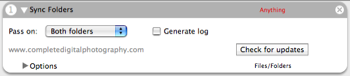
    Hi, I just installed this action and is working fine. But also have a few questions. 1. I dint under the ‘Pass on’ option 2. How can I sync folders from different locations?

    Comment by Harish — May 20, 2010 @ 1:16 pm

  2. 42.

    Okay I’m a bit late to the party in every respect (only just started using Automator) however like a few others above I wasn’t exactly sure how to set this up despite people’s help. So here’s what I did and this works on Mac OS X 10.4.11:

    1. Load Automator and start a new workflow
    2. From the actions panel choose ‘Get Selected Finder items’
    3. Find your source folder, drag this in the action above (2)
    4. No import the ‘Sync Folders action’, and add it into the workflow
    5. As in step two, add the ‘Get Selected Finder items’ action
    6. Find your destination folder, drag this in the action above (5)

    You’re done! Your workflow should read:

    1. Get Selected Finder items
    2. Get Specified Finder items (containing your source folder)
    3. Sync Folders
    4. Get Specified Finder items (containing your destination folder)

    My only remaining question is what does the ‘pass on’ drop-down do?

    Comment by Grid212 — April 9, 2010 @ 7:41 pm

  3. 41.

    could somebody who has a working sync not post a screen shot of the work flow how it looks like? thanks

    Comment by Sib — March 18, 2010 @ 3:31 pm

  4. 40.

    How do i add folders to this action to sync?

    Thanks,

    Comment by Keaton — October 7, 2009 @ 8:10 pm

  5. 39.

    I’m not having same name problems but the workflow does stop long before the files have finished processing. I am attempting to sync my music collection between one partition of an external hard drive and another. One partition is HFS+ the other FAT32 so I can have my music when I boot up in Windows (when I have to). I my eventually get an airport express so I can have the HFS+ partition show up in windows but for now I am defineatly having problems.

    It stops about 10 minutes into syncing 60+GB of music and gives the error “The Action “Sync Folders” encountered an error. Check the action’s properties and try running the workflow again.”

    What is strange (as mentioned before) is that everytime I run the workflow, it syncs the same files over again (the modified date on some of them updates again).

    My workflow persists of the following: Get specified finder items: specifies the two folders as instructed Sync Folders: pass on both folders, generate log checked (which remains blank the entire time.

    If anyone has any ideas, let me know!

    Comment by mrcrister — August 8, 2009 @ 9:35 pm

Pages: [9] 8 7 6 5 4 3 2 1 » Show All

RSS feed for comments on this post. TrackBack URI

Leave a comment

XHTML: You can use these tags: <a href="" title=""> <abbr title=""> <acronym title=""> <b> <blockquote cite=""> <cite> <code> <del datetime=""> <em> <i> <q cite=""> <strike> <strong>